Fab Bank Balance Check Online | Fab Balance Enquiry UAE 2026
For prepaid/Ratibi cards, use the PPC Magnati Portal — instant, no login needed. For bank accounts, the FAB Mobile App gives real-time balance with biometric login. Without internet, SMS BAL + last 4 digits to 2121 (register at ATM first). Without a phone, any FAB ATM works — insert card, enter PIN, select “Balance Inquiry.” All methods are free.
Standing in an ATM queue just to check if your salary cleared? Or confused which app, number, or link is actually safe — worried one wrong click could empty your account? Every month, thousands of UAE workers face this exact stress, especially Ratibi card holders waiting for their WPS salary. It doesn’t have to be this hard. Whether you’re tracking a prepaid card, salary account, or current account, there’s an official, free, and instant FAB balance check method built for you. You just need to know the right one — and which scams to avoid on payday.
This guide covers 10 verified methods for FAB balance check 2026. All are free through official FAB channels (standard telecom charges may apply for SMS/calls).
All FAB Balance Check Methods Compared
First Abu Dhabi Bank offers 10 official channels to check your balance – from instant app-based checks to offline SMS and ATM options. This comparison helps you pick the fastest, most convenient method based on your card type and internet access.
| Method | Speed | Internet Needed? | Best For |
|---|---|---|---|
| FAB Mobile App | Instant | Yes | Daily use, full control |
| PPC Magnati Portal | Instant | Yes | Prepaid & Ratibi, no login needed |
| FAB Online Banking | Fast | Yes | Desktop users, statements |
| ATM / CDM | Fast | No | Offline check, cash withdrawal |
| SMS Banking (2121) | 10-30 sec | No | Basic phones, no data |
| Phone Banking | 1-2 min | No | Non-tech users, human help |
| Payit Wallet | Instant | Yes | Ratibi users, digital wallet |
| Exchange Houses | 5-10 min | No | Cash-reliant WPS workers |
| WhatsApp Banking | N/A | N/A | Not currently available |
| POS Terminal / Alerts | Instant | No | In-store check, auto-notifications |
Which Method Should You Use?
Not sure which channel fits your situation? Use this quick decision guide to find your ideal balance check method in under 10 seconds.
| Your Situation | Recommended Method |
|---|---|
| Smartphone + Internet | FAB Mobile App |
| Ratibi/Prepaid card, no app | PPC Magnati Portal |
| No internet, basic phone | SMS to 2121 |
| No phone, need cash | FAB ATM or Exchange House |
| Forgot login details | Phone Banking 600 52 5500 |
| Salary not credited yet | Payit Wallet + SMS alerts |
| Need full statement | FAB Online Banking (desktop) |
Method 1: FAB Mobile App (Fastest for Daily Use)
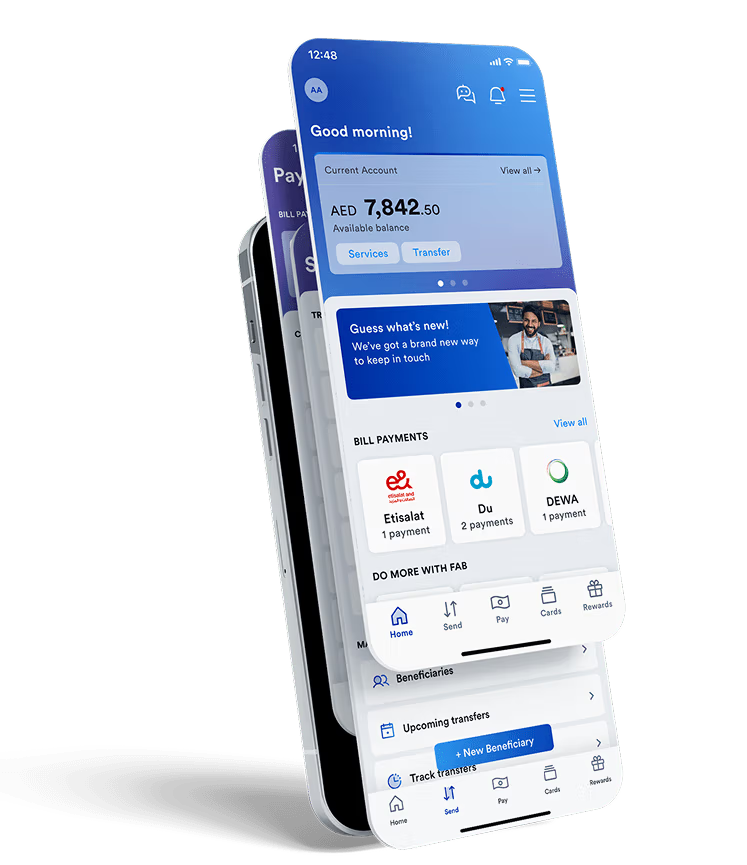
The FAB Mobile Banking App puts your entire bank in your pocket. With biometric security and real-time updates, it’s the most convenient way to stay on top of your money.
How to use:
- Download “FAB Mobile Banking” from Google Play or App Store – verify publisher is “First Abu Dhabi Bank”
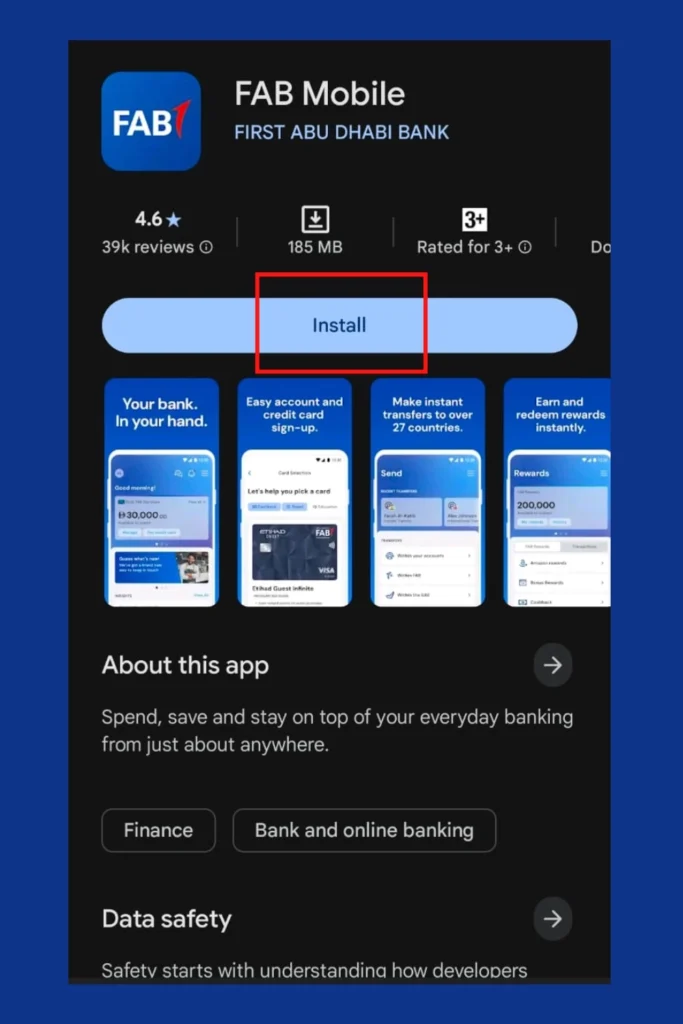
- Tap “Register” or “Log In”
- Enter your registered mobile number (format: 9715XXXXXXXX)
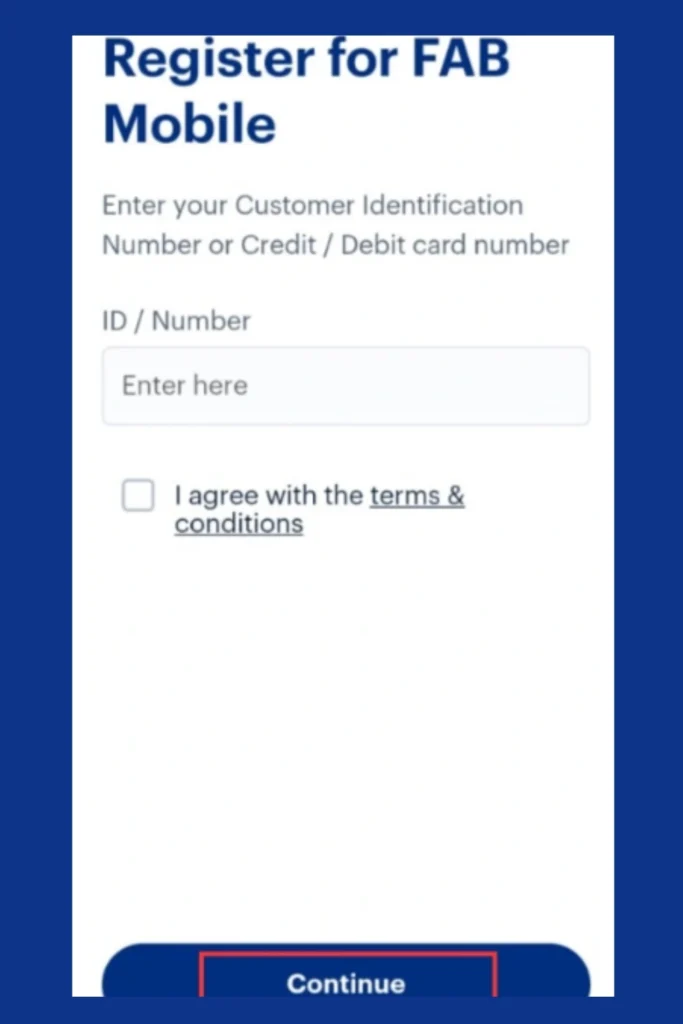
- Verify with OTP — never share this with anyone
- Link your account using debit card, credit card, or Customer ID
- Complete Emirates ID scan + face verification
- View balance on the home screen dashboard
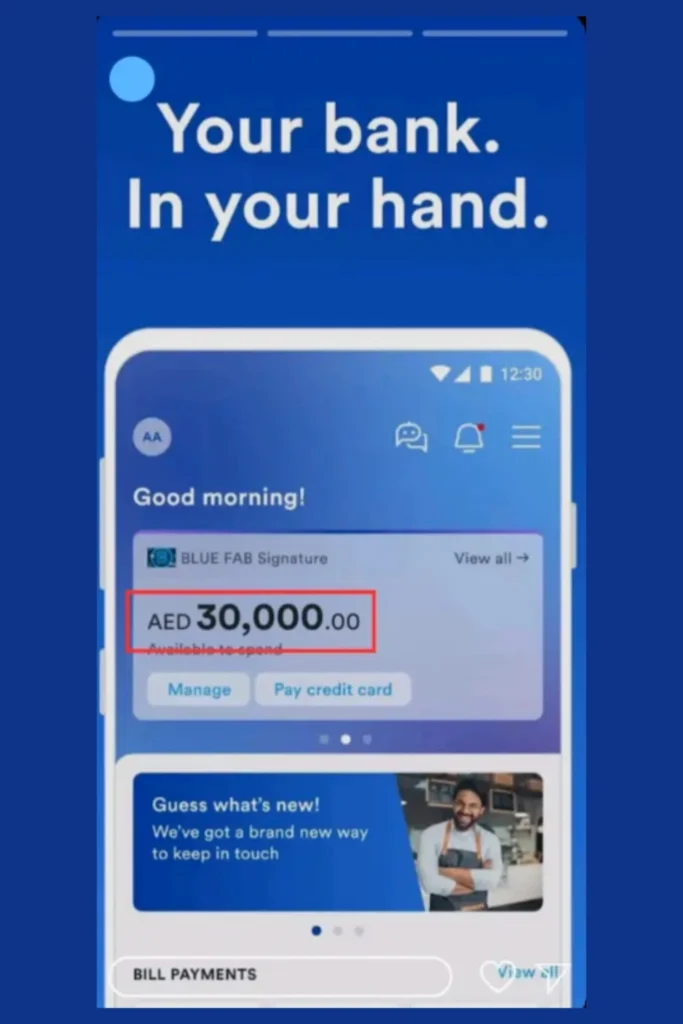
Pro tip: Enable Face ID or fingerprint for instant access. The app works 24/7 worldwide — perfect for checking FAB balance from abroad.
Note: Face ID can fail in low light. Use PIN or fingerprint as backup.
Method 2: PPC / Magnati Prepaid Card Portal
The PPC Magnati Portal is the official FAB prepaid card enquiry platform for Ratibi cards, salary prepaid cards, travel cards, gift cards, and Lulu prepaid cards.
No app. No login. No registration. Just your card details and instant access to your balance.
How to use:
- Visit mybankbalancecheck.com using your browser.
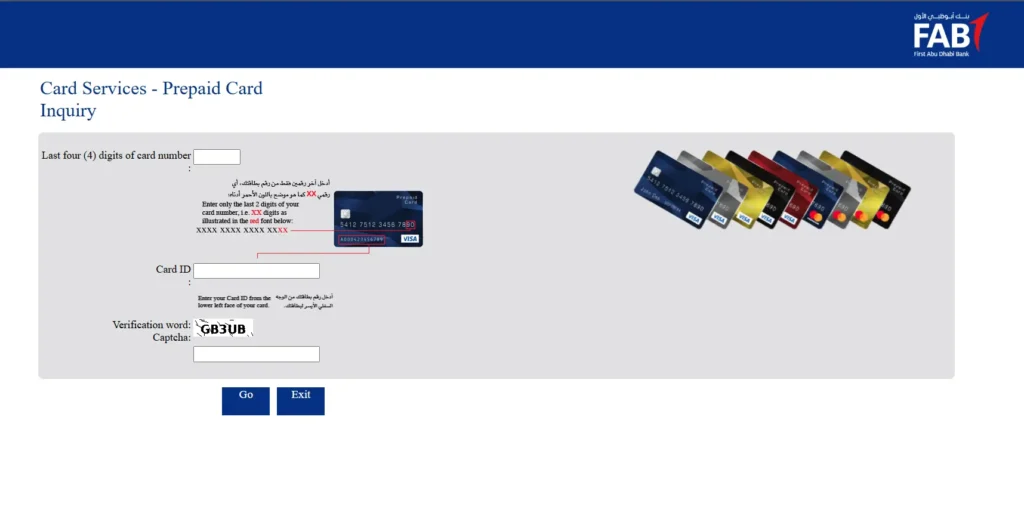
- Enter last 4 digits of your card
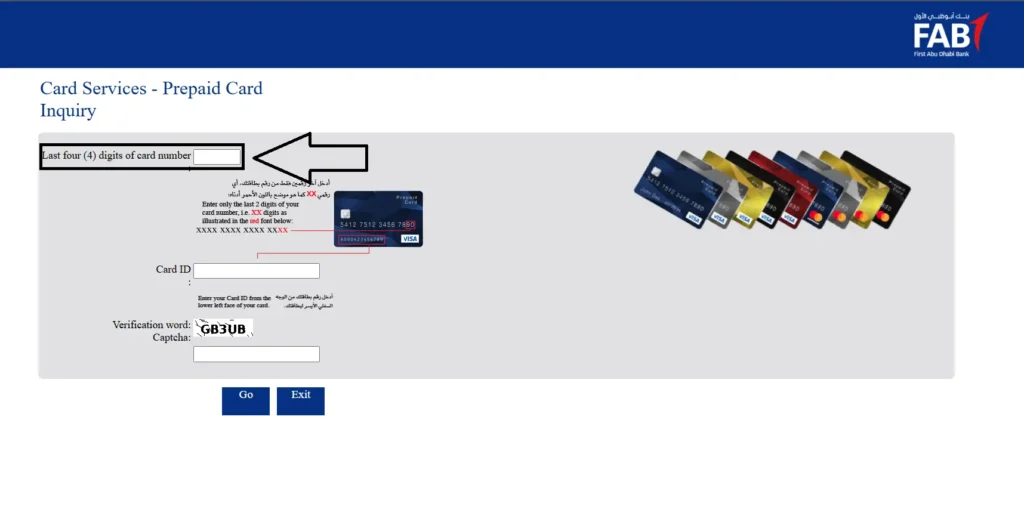
- Enter 13-digit Card ID (printed on card)
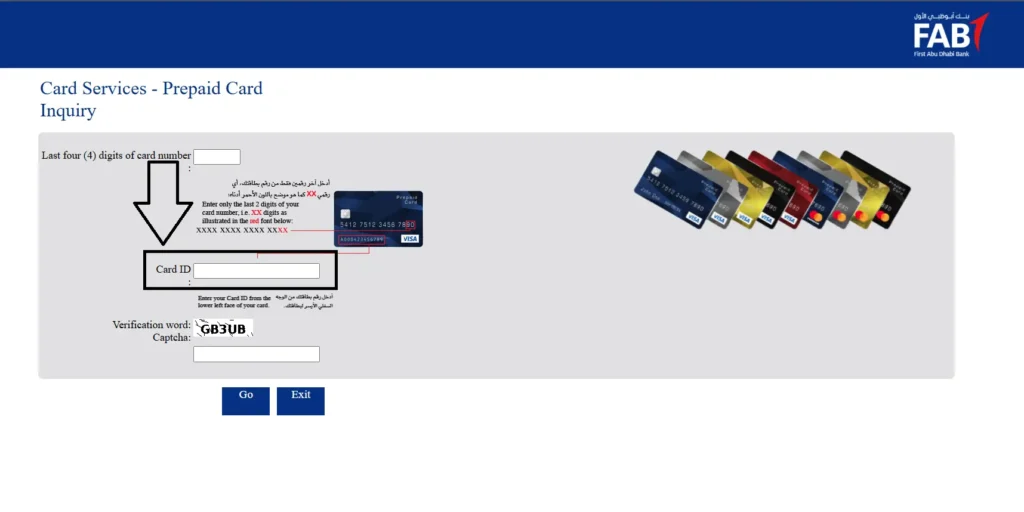
- Complete CAPTCHA
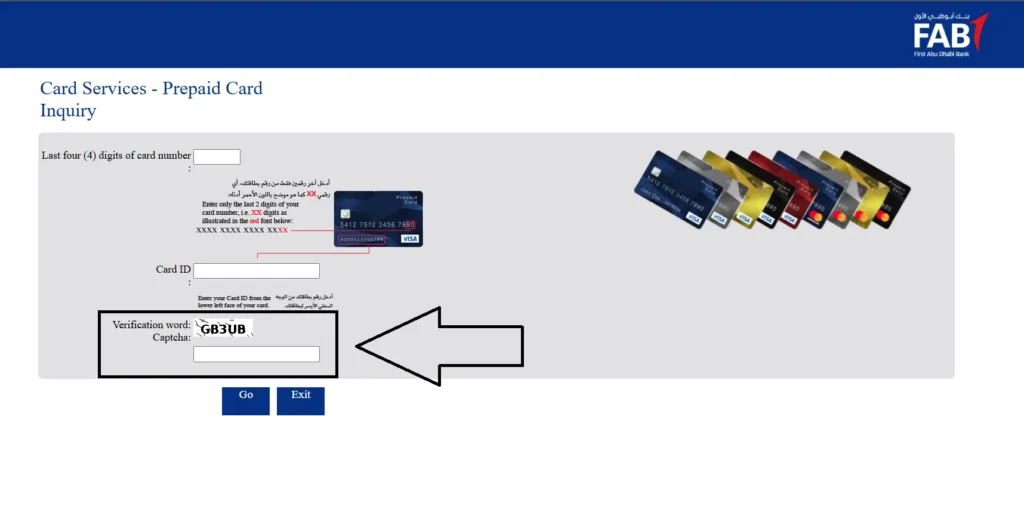
- Click “Go” — view balance instantly
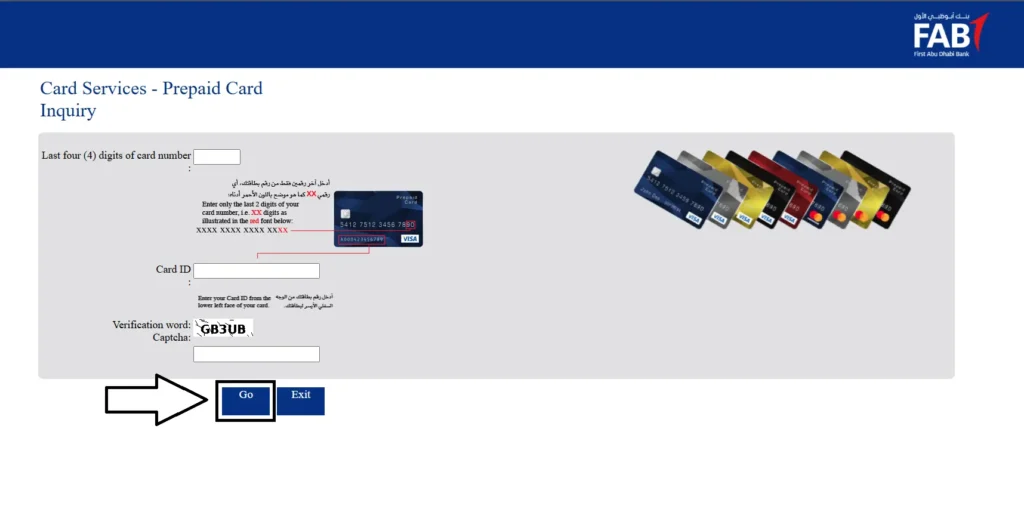
What you see:
- Current available balance
- Last 5-10 transactions
- Card status (active/expired/blocked)
- Reload options (eligible cards only)
Best for: Ratibi salary card holders who need quick FAB balance check online without registration.
Note: Portal times out after 60 seconds of inactivity. Simply refresh and re-enter.
Method 3: FAB Online Banking (Website)
For desktop users who need full account control.
How to use:
- Go to www.bankfab.com
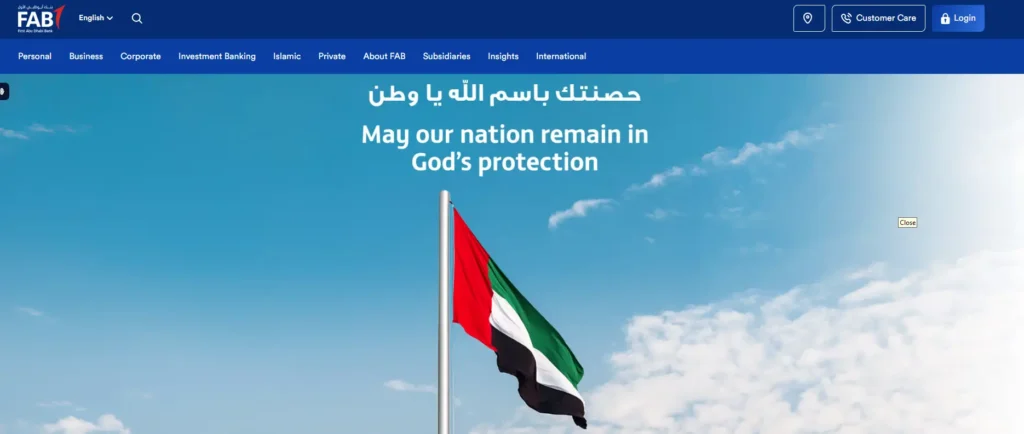
- Click “Login” → “Personal Online Banking”
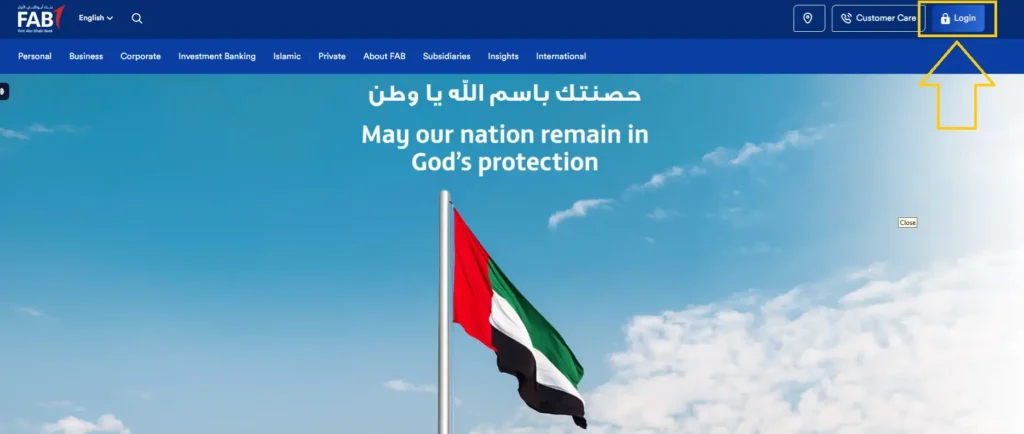
- Enter User ID and password
- Enter OTP from registered mobile/email
- Dashboard opens — view current balance, available balance, transaction history
Additional features:
- Download e-Statements
- Pay bills and set up standing instructions
- Transfer funds locally and internationally
- View pending transactions
💡 Tip: The 2026 interface places “Quick Balance” in the top-right corner (eye icon next to account name).
Method 4: ATM / CDM Balance Inquiry
Sometimes the simplest way is the best way. No phone, no internet, no app – just your card and a machine. Works completely offline. Available at FAB branches, malls, metro stations, and exchange houses.
How to use:
- Locate a FAB ATM via bankfab.com branch locator or directly click on this link: https://www.bankfab.com/en-ae/branch-locator
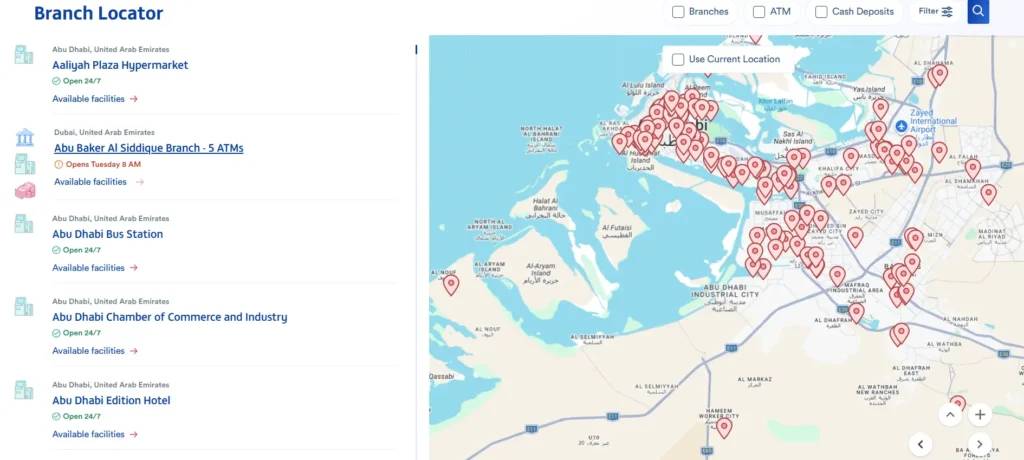
- Insert card (chip facing up)
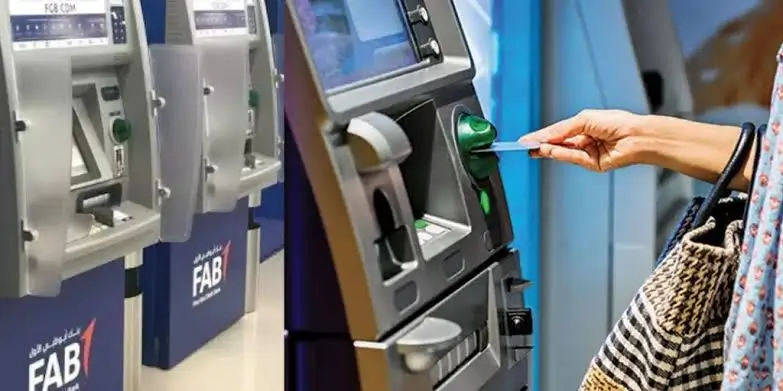
- Enter 4-digit PIN
- Select language (English/Arabic)
- Choose “Balance Inquiry”
- View available balance and total balance
- Optional: Print mini-statement
🔒 Security: Always cover the keypad. Ensure screen resets to welcome page before leaving.
💡 Tip: Use standard ATMs instead of CDMs for balance-only checks — CDMs often have longer queues.
Method 5: SMS Banking (2121) — No Internet
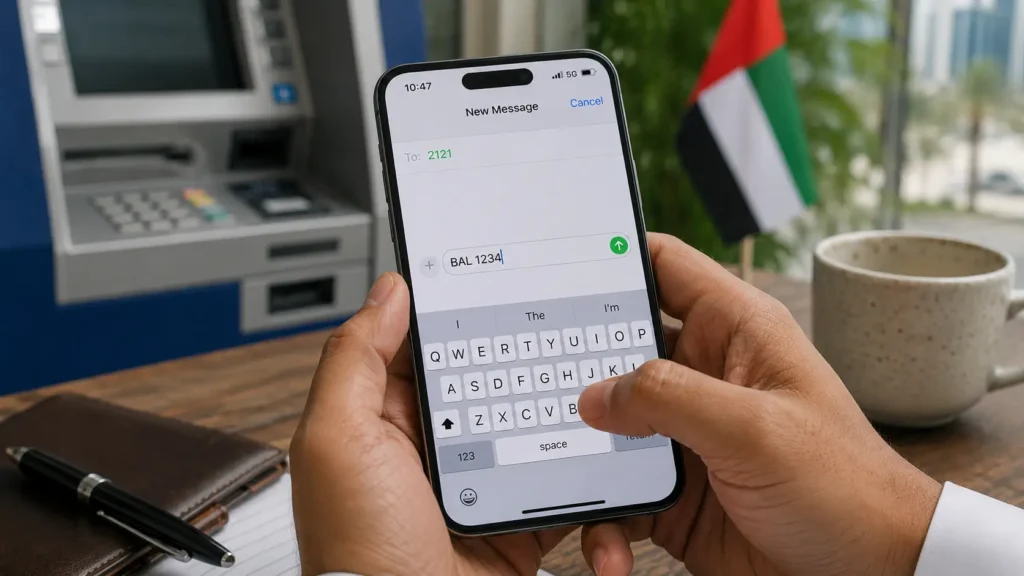
Forgot your smartphone at home? Running out of data? This method works on any phone — even that old Nokia in your drawer.
One-time registration required
How to check balance
What you receive
Method 6: Phone Banking / Customer Care
Not everyone trusts apps and websites. Sometimes you just want to hear a human voice – or at least a helpful robot.
24/7 automated balance inquiry via IVR or live agent.
Contact numbers:
IVR steps:
- Dial number
- Press 1 (English) or 2 (Arabic)
- Select “Account Services” → “Balance Inquiry”
- Verify identity using:
- 16-digit card number or Customer ID
- Emirates ID number
- Date of birth (DD/MM/YYYY)
- 4-digit ATM PIN
- System announces your balance
For human agent: Press 0 during call
⏱️ Wait times: 4-5 minutes during peak hours, under 1 minute after 10 PM.
Method 7: Payit Wallet (Ratibi & Salary Users)
Think of it as FAB’s digital pocket. Designed specifically for Ratibi card holders who want more than just balance checks.
FAB’s official digital wallet for Ratibi card holders.
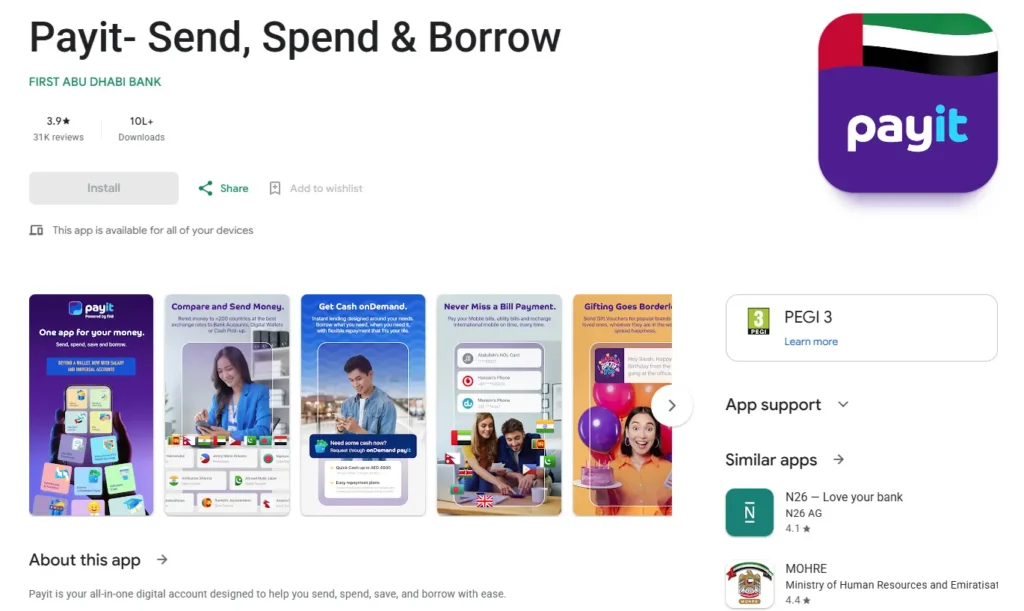
How to use:
- Download “Payit by FAB” app
- Register with UAE mobile number + Emirates ID
- Select “Ratibi Card Holders”
- Link your Ratibi card — enter card number, verify via OTP
- Go to “Wallet Balance” to view current balance
What you can do:
- Check salary credit status
- Transfer money
- Pay bills
- Cardless ATM withdrawals using Payit code
⚠️ Note: Payit shows a 5-10 minute delay compared to real-time app data. For instant verification, use FAB Mobile App or Magnati Portal.
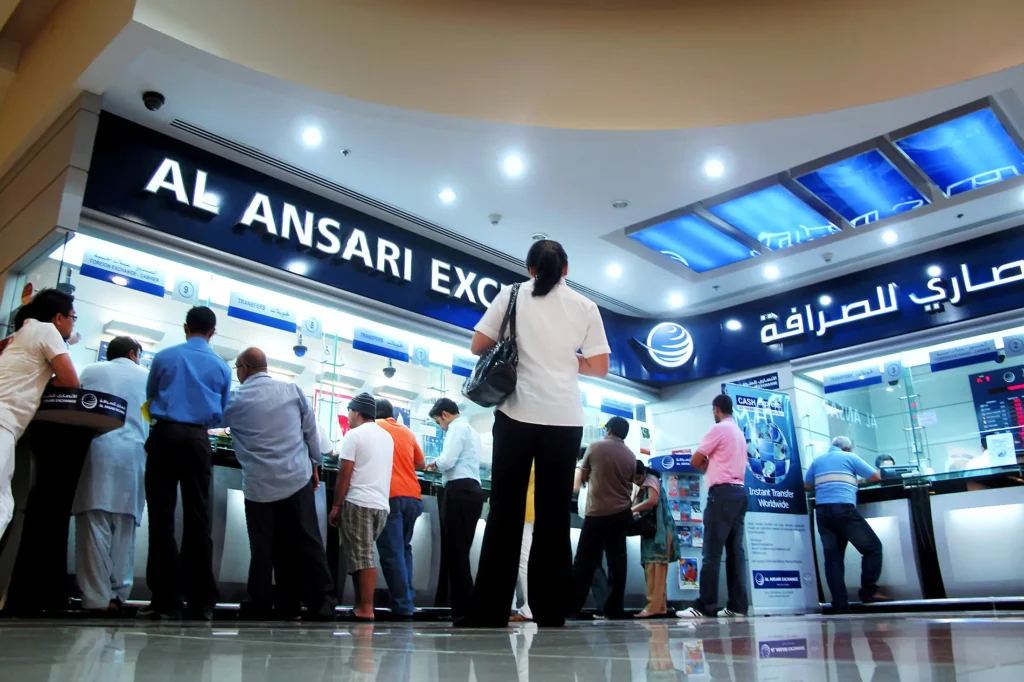
Method 8: Exchange Houses (Lulu, Al Ansari, Al Rostamani)
For the thousands of WPS workers who live cash-to-cash, exchange houses are a lifeline. Walk in with your card, walk out knowing exactly where you stand.
For WPS workers who prefer cash transactions.
How it works:
- Visit Lulu Exchange, Al Ansari Exchange, or Al Rostamani Exchange
- Present FAB Ratibi card + Emirates ID
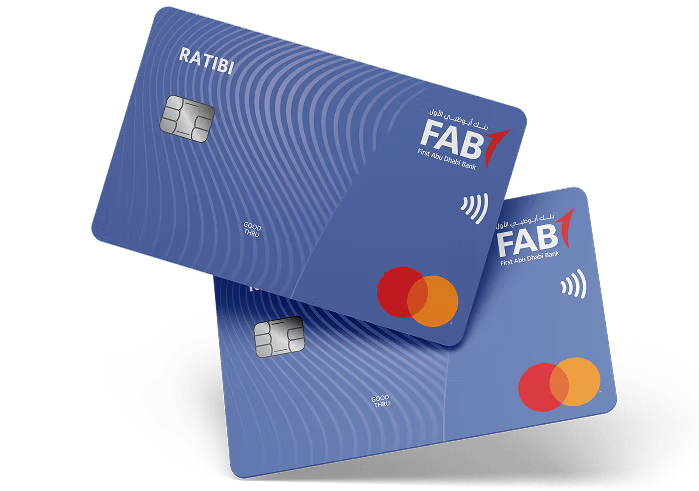
- Teller checks balance via terminal or directs to affiliated ATM
Best for:
- Workers without smartphones
- Cash-reliant users
- Monthly salary confirmation
Cost: Counter checks are typically free. ATM withdrawals may incur standard fees.
Note: Always ask if counter check is free before handing over your card — some branches redirect to fee-based ATMs.
Method 9: WhatsApp Banking (Official Status)
Let’s settle this once and for all. No, you cannot check your FAB balance on WhatsApp — no matter what that Facebook post claims.
No official FAB WhatsApp Banking exists as of June 2026.
The facts:
- +1 (704) 771-0476 is FAB’s Whistleblowing Hotline — not for banking
- FAB does not offer verified WhatsApp for balance checks
Scam Warning: Fake WhatsApp numbers circulate on Facebook and Telegram. One common message: “Your FAB salary is ready. Click to verify.”Never click these links. Never share OTP via WhatsApp.
Always verify URLs: Official is ppc.magnati.com – nothing else.
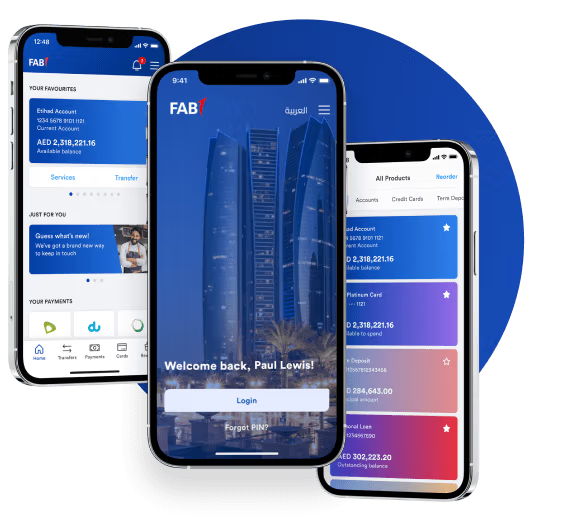
Method 10: POS Terminal & Email/SMS Alerts
At the grocery store and not sure if you have enough? Some cashiers can check your balance right at the checkout counter.
POS Terminal:
- Some retailers allow balance check at checkout
- Hand card to cashier, enter PIN if requested
- Terminal prints balance receipt
Limitation: Not all merchants offer this. Shows balance only — no history. Some charge small service fees.
Email/SMS Alerts Setup:
- FAB Mobile App: Settings → Notifications → Enable “Salary Credit Alerts,” “Transaction Alerts,” “Low Balance Warnings”
- Online Banking: Profile → Alert Preferences → Set thresholds
Benefit: Instant notification when salary deposits, withdrawals occur, or balance drops below your set limit.
How to Check Your FAB Salary (Ratibi / WPS) Balance
Your salary is your lifeline. When payday comes, you need to know immediately — not after navigating through five different menus.
Ratibi cards are WPS-compliant prepaid salary cards for employees earning AED 5,000 or less monthly. No bank account required.
Quick methods
Last 4 digits + 13-digit Card ID → instant balance and transactions
Prepaid Cards section → real-time balance
Ratibi Card Holders → link card → check balance
BAL + last 4 digits → instant reply
Insert card → PIN → Balance Inquiry
Card + Emirates ID → teller-assisted
Salary Not Credited? WPS Delay Troubleshooting
The rent is due. The groceries are running low. And your salary still hasn’t hit your card. Before you panic, work through this checklist.
Check this first
If delay exceeds 3 business days
FAB vs Other UAE Banks: Balance Check Comparison
Not sure if FAB is the right bank for you? Here’s how it stacks up against the competition when it comes to checking your balance.
| Feature | FAB | Emirates NBD | ADCB | Mashreq |
|---|---|---|---|---|
| Mobile app balance check | Free, biometric | Free, biometric | Free | Free |
| SMS banking | 2121 | 4266 | 2247 | 4250 |
| Prepaid card portal | Magnati (no login) | Requires login | Requires login | Requires login |
| WhatsApp banking | Not available | Available | Not available | Available |
| WPS salary card | Ratibi | N/A | Limited | Limited |
| Exchange house network | Lulu, Al Ansari, Al Rostamani | Widespread | Moderate | Moderate |
| Minimum balance (current) | AED 3,000 | AED 3,000 | AED 3,000 | AED 3,000 |
| Fall-below fee | Varies by account | AED 25-50 | AED 25 | AED 25 |
Is FAB Balance Check Free? Fees Explained
Nobody likes surprise charges. Here’s exactly what costs money and what doesn’t when checking your FAB balance.
Free methods
Possible charges
Standard Etisalat/du SMS rates only
Local/international call charges
Possible merchant service fee
AED 2 at some machines
Minimum balance
AED 3,000 required
Fall below it and a monthly fee applies — check your Key Facts Statement on bankfab.com.
No minimum balance. No monthly fees.
Security & Scam Avoidance
Your money is only as safe as your habits. One careless click can empty your account faster than you can say “OTP.”
FAB Minimum Balance Rules You Should Know in 2026
Understanding the FAB minimum balance policy helps you avoid unnecessary fees and keep your account in good standing.
Savings Account Rules
Most FAB savings accounts require a minimum balance of AED 3,000. If your balance drops below this amount, a monthly charge may apply.
Elite Accounts
Elite accounts usually do not require a minimum balance and come with extra benefits:
Why It Matters
Keeping your balance above the minimum:
FAB SWIFT Code for International Transfers
Sending money from abroad? Receiving your salary from an overseas employer? You’ll need the FAB SWIFT code.
What is a SWIFT code?
A SWIFT code (also called BIC) is a unique bank identifier used for international wire transfers. It ensures your money reaches the right bank in the right country.
FAB SWIFT code
NBADAEAA. Use the 11-character NBADAEAAXXX if the system requires it.When you need it
You’ll need the SWIFT code for:
How to Open a FAB Bank Account in the UAE
New to UAE or switching banks? Opening a FAB account is straightforward for residents and expatriates.
Account types available
Choose the account that fits your needs:
For daily transactions, salary credits, bill payments
For building emergency funds, interest earnings
Premium banking with dedicated support, no minimum balance
Hold AED, USD, EUR, GBP in one account
Required documents
You’ll typically need:
How to apply
Three ways to open your account:
FAB Mobile App
Fastest, fully digital, account ready in minutes.
FAB Website
Online application with document upload.
FAB Branch Visit
In-person support, instant debit card issuance.
Activate FAB Mobile Banking in Minutes
Once your account is open, activating FAB mobile banking unlocks full control of your finances.
Simple activation steps
What you can do
With the app activated, you can:
Why FAB Balance Check Makes Money Management Easier
Regular FAB balance checks aren’t just about knowing your number. They’re about taking control of your financial life.
Common Problems While Checking FAB Balance (And Easy Fixes)
Checking your FAB balance is usually quick, but sometimes things go wrong. App crashes, ATM errors, delayed salary credits — these issues frustrate users daily. The good news? Most have simple fixes.
Many users face login failures, blank balance screens, or slow loading in the FAB mobile app. This usually happens when the app is outdated or during server maintenance.
Easy fixes
Sometimes FAB ATMs fail to show your correct balance or display error messages. This happens if the machine is under maintenance or your last transaction hasn’t processed yet.
Easy fixes
If your salary doesn’t appear in your FAB account, it may be due to public holidays, employer delays, or banking processing time.
What to do
During scheduled updates, FAB services may be temporarily unavailable. This usually happens late night (2-5 AM) or weekends.
Workarounds
FAQs About FAB Balance Check
Can I check FAB balance without internet?
Yes. Use SMS to 2121, ATM inquiry, or Phone Banking 600 52 5500.
How do I check my Ratibi salary card balance?
Use PPC Magnati Portal (no login), FAB Mobile App, Payit Wallet, SMS to 2121, or any FAB ATM.
Is NBAD the same as FAB?
Yes. NBAD merged with FGB in 2017 to form FAB. All NBAD services continue under the FAB brand.
Is FAB balance check free?
Yes. App, online banking, ATM, and Magnati portal are free. SMS incurs standard telecom charges only.
What is FAB’s SWIFT code?
Primary code: NBADAEAA (or NBADAEAAXXX for 11-character systems).
Can I check FAB balance from abroad?
Yes. Use FAB Mobile App, Online Banking, or call +971 2 681 1511. SMS to 2121 may not work internationally.
Does FAB have WhatsApp banking?
No. As of June 2026, FAB does not offer WhatsApp banking. The number +1 (704) 771-0476 is for whistleblowing only.
How long does WPS salary take to credit?
Usually 1-2 business days after the employer submits the WPS file. Most salaries arrive between the 25th and last day of the month.
Conclusion
hecking your FAB balance in 2026 is fast, free, and flexible. Whether you are a Ratibi salary card holder confirming your monthly WPS credit, a prepaid card user tracking daily spending, or a current account holder managing finances, FAB offers an official channel that fits your lifestyle and device. The key is choosing the right method for your situation — the Magnati Portal for instant prepaid checks, the FAB Mobile App for comprehensive banking, or SMS to 2121 when you are offline. With zero fees on official channels and 24/7 availability, staying on top of your FAB balance has never been easier.
Our recommendation:
- Daily users: Download the FAB Mobile App
- Ratibi/Prepaid holders: Bookmark the Magnati Portal
- Offline users: Register SMS Banking at any ATM
- Salary tracking: Enable push notifications + SMS alerts
Never miss a salary credit again.
Author: Ambili Kumar – Ambili S Kumar is a talent acquisition and human resources professional with extensive experience in global hiring, recruitment strategy, and workforce planning. Specializing in AI driven talent acquisition, talent intelligence, and employer branding, Ambili focuses on helping organizations build high performing teams through data driven recruitment practices, innovative hiring strategies, and effective talent management across diverse industries.
Reviewed by: Waleed Iqbal – Former FAB Customer Experience Associate (2019–2023). Verified all contact numbers and methods against official FAB channels. Personally handled 500+ Ratibi card holder queries during tenure.
Sources
- First Abu Dhabi Bank — Official source, verified June 2026
- PPC Magnati Portal — Tested with live Ratibi card, June 28, 2026
- FAB Whistleblowing Channels — Called +1 (704) 771-0476 to verify non-banking purpose, June 29, 2026
- UAE Central Bank — Regulatory framework for WPS and banking
Disclaimer: This is not an official website for any services. We at mybankbalancecheck.com are making this page to provide instructional and informative material only, we are not in anyway associated with or endorsed by FABBANK. Official website can be found at https://www.bankfab.com. All logos, videos & trademarks belong solely their respective owners.

Ambili Kumar 

Ambili S Kumar is a talent acquisition and human resources professional with extensive experience in global hiring, recruitment strategy, and workforce planning. Specializing in AI driven talent acquisition, talent intelligence, and employer branding, Ambili focuses on helping organizations build high performing teams through data driven recruitment practices, innovative hiring strategies, and effective talent management across diverse industries.