FAB Salary Not Credited — WPS Problem Fix (2026 Guide)


 July 5, 2026 2:32 am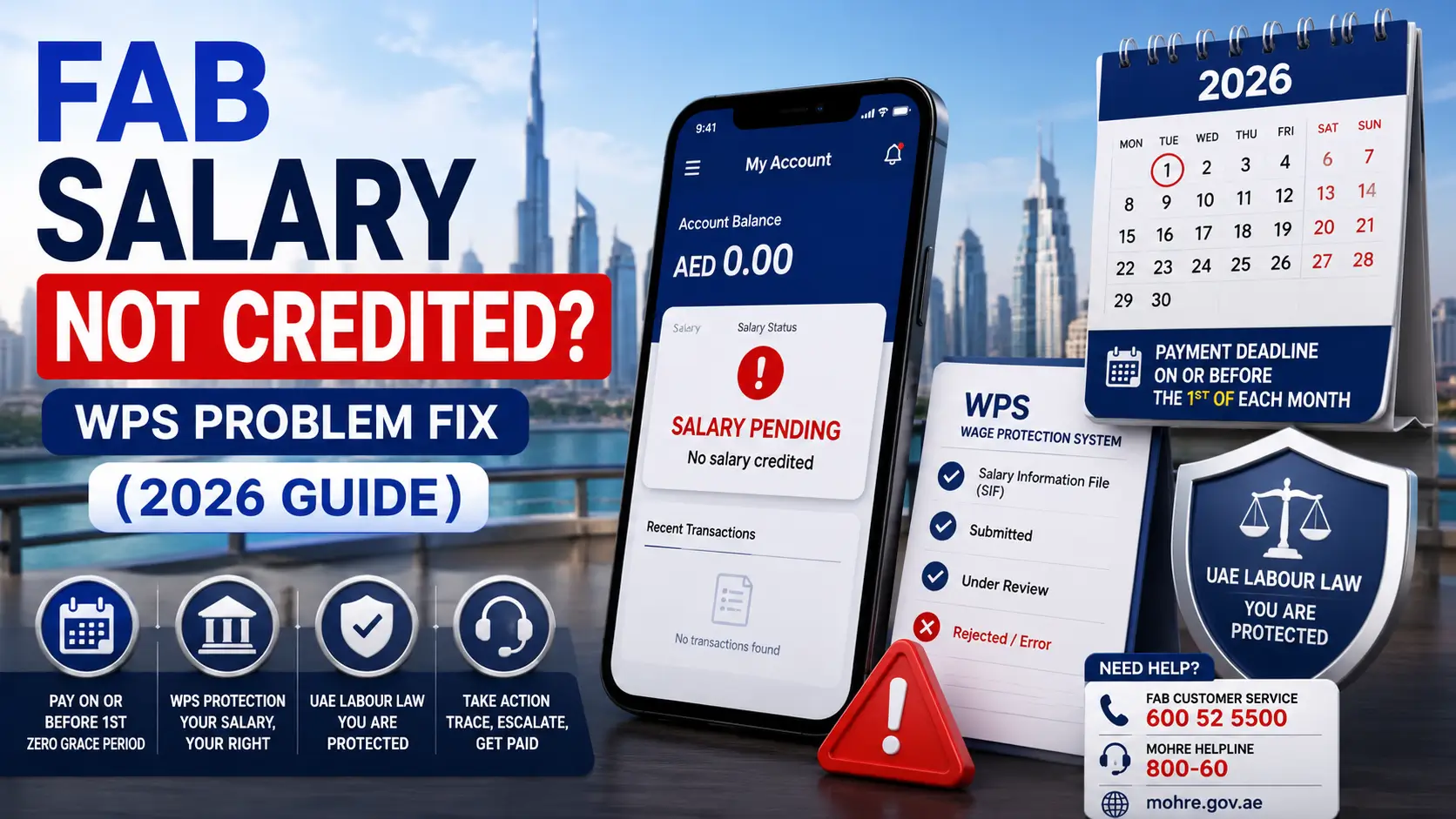
Your salary date came and went — but your FAB account shows nothing. No credit, no notification, no explanation from HR. For thousands of UAE private-sector workers, this happens every month, and most spend days calling the wrong people in the wrong order.
This guide tells you exactly where the problem is, who is responsible for fixing it, and what to do legally if your employer refuses to act. Every step reflects UAE labour law as of July 2026, including the updated WPS rules that removed the old 15-day grace period entirely.
What “FAB Salary Not Credited” Actually Means

FAB salary not credited means your expected wage has not appeared in your First Abu Dhabi Bank account or Ratibi prepaid card on the expected date. In the UAE, this almost always traces to a WPS (Wage Protection System) problem — your employer’s Salary Information File (SIF) was rejected, funds were not transferred to the WPS Agent on time, or a data mismatch blocked the payment before it reached FAB.
At a Glance:
- ✅ FAB credits salary within 24 working hours of a valid WPS transfer
- ⚠️ If not credited, the issue is upstream — in the SIF or employer’s payroll cycle, not the bank
- 🕐 From June 2026: employers must pay on or before the 1st of each month — zero grace period
- 📞 FAB: 600 52 5500 | MOHRE: 800-60
Quick Checklist Before You Call Anyone
- Is today a UAE working day? (weekends and public holidays delay credits)
- Checked FAB app, ATM, or SMS banking for latest balance?
- HR confirmed the WPS Salary Information File (SIF) was submitted and accepted by MOHRE?
- Your IBAN correct in the employer’s payroll/Wage Register?
- More than 48 working hours since employer says salary was sent?
If all checked and still missing — follow the steps below.
Why FAB Salary Not Credited Happens
1. WPS Salary Information File (SIF) Rejected
Your employer submits a SIF monthly to the WPS Agent (FAB or an exchange house). Since December 2025, WPS 2.0 validates this file in real time. One wrong field = instant rejection.


Common causes:
| Error | What It Means |
|---|---|
| IBAN Mismatch | Your bank account number in SIF doesn’t match MOHRE records |
| Labour Card Invalid | Labour card expired or incorrect in Employee Detail Record |
| Amount Discrepancy | Salary in SIF doesn’t match your signed employment contract |
| Employee Not Found | You’re not yet registered in WPS (common for new joiners — up to 30 days) |
| Insufficient Funds | Employer’s WPS Agent account has no money to release |
Ask HR: “What error code did MOHRE return when the SIF was submitted?” This one question saves days.
2. Employer Didn’t Fund the WPS Agent
The employer submits the SIF but doesn’t transfer money to the payroll agent. The file is accepted, but no payment is released. The WPS Agent holds the file until funds arrive.

3. Salary Sent But Wrong IBAN
If the transfer went to a wrong account, FAB returns it to the employer within 1–3 working days. Ask your employer for the Transaction Reference Number (TRN) — give it to FAB and they trace it in minutes.
4. Public Holiday or Weekend
WPS processes on working days only. A due date falling on Friday or Saturday moves to Monday. Not a violation unless it exceeds the payment deadline.
Salary Not Credited vs Salary Under Processing
| Status | Meaning | Action |
|---|---|---|
| Not Credited | No transfer reached FAB at all | Trace with FAB + check SIF with HR |
| Under Processing | Transfer initiated, not yet settled | Wait 24 working hours |
| Returned by FAB | FAB received and sent it back | Call FAB — IBAN error or account issue |
Ask FAB specifically: “Was a salary credit received and returned, or was nothing received?”
What FAB Can Fix vs What Only Your Employer Can Fix
FAB Can Help:
- Trace whether a salary credit was received
- Confirm if a credit was received and returned (and why)
- Check if your account has a freeze or restriction
- Raise a transaction dispute
Only HR or MOHRE Can Fix:
- SIF rejection — employer must correct and resubmit
- Wrong IBAN in the Wage Register
- Salary amount mismatch vs. your contract
- Missing WPS registration for new employees
- Employer not funding the WPS Agent account
If FAB confirms no transfer was received — stop calling FAB. Contact HR and MOHRE.
Step-by-Step Fix
Call 600 52 5500 and ask:
Ask your HR or payroll team for:
Confirm your IBAN, Emirates ID, and Labour Card number are correct in the employer’s payroll system.
If SIF was just resubmitted, allow 24–48 working hours before escalating.
The TRN lets FAB trace your exact salary entry. Without it, the trace takes much longer.
If salary is still unpaid:
Employer Penalties for Late Salary (2026)
From June 1, 2026, Ministerial Resolution No. 340 of 2026 removed the old 15-day grace period entirely.
| Timeline | Consequence |
|---|---|
| Day 2 after due date | MOHRE compliance flag raised automatically |
| Day 17 | All work permit applications blocked for the entire company |
| Day 30 | Public Prosecution notified (50+ employee companies) |
| Month 4 | Ban extends to all companies under same ownership |
Fines apply per employee — a company with 20 staff faces 20 separate fine entries per missed cycle.
FAB Ratibi Card: Salary Not Credited
If your salary comes via FAB Ratibi prepaid card:
- Check balance at any FAB ATM (free) or call 600 52 5500
- Use the Ratibi prepaid card enquiry portal at bankfab.com
- Confirm your 16-digit Ratibi card number with HR — it must exactly match the SIF
- New Ratibi card? Activate it first — salary cannot credit to an inactive card
Frequently Asked Questions
Can salary arrive on a Sunday in UAE?
Can FAB reject a salary transfer?
My employer says salary is sent but FAB shows nothing. What do I do?
What if salary is partially credited?
Can I work elsewhere while waiting for my salary complaint to be resolved?
What is a Salary Information File (SIF)?
Key Contacts
| Resource | Contact |
|---|---|
| FAB Customer Service (UAE) | 600 52 5500 |
| FAB International | +971 2 681 1511 |
| FAB Help & Support | bankfab.com/en-ae/personal/help-and-support |
| MOHRE Helpline | 800-60 |
| MOHRE Smart App | iOS + Android |
| MOHRE Website | mohre.gov.ae |
| UAE Government WPS Portal | u.ae → Employment → Payment of Wages |
Conclusion
FAB salary not credited is almost never a bank error. In 9 out of 10 cases, the problem sits in the employer’s Salary Information File — a wrong IBAN, a data mismatch, or simply no funds transferred to the WPS Agent.
Start with HR, get the Transaction Reference Number, call FAB to trace the transfer, and if you’re past the payment due date, file with MOHRE the same day. The complaint process is free, the law is on your side, and from June 2026, employers have zero buffer — salary paid even one day late is already a violation.
Don’t wait and hope. The longer you delay, the harder it becomes to recover what’s owed.
Disclaimer: For informational purposes only. Not legal advice. For disputes above AED 50,000, consult a registered UAE labour lawyer.
Ambili Kumar 
Ambili S Kumar is a talent acquisition and human resources professional with extensive experience in global hiring, recruitment strategy, and workforce planning. Specializing in AI driven talent acquisition, talent intelligence, and employer branding, Ambili focuses on helping organizations build high performing teams through data driven recruitment practices, innovative hiring strategies, and effective talent management across diverse industries.